
Description
, no JS required, Shopify-proof (works even when scripts are stripped) ============================================================ */ .faq-list { display: flex; flex-direction: column; gap: 8px; } /* Remove default browser triangle marker */ .faq-item { list-style: none; } .faq-item::-webkit-details-marker { display: none; } details.faq-item { background: var(–white); border: 1px solid var(–border); border-radius: var(–radius); overflow: hidden; box-shadow: var(–shadow-sm); } details.faq-item[open] { border-color: var(–blue-border); } summary.faq-question { list-style: none; width: 100%; background: none; border: none; color: var(–dark); font-size: 15px; font-weight: 600; text-align: left; padding: 17px 22px; cursor: pointer; display: flex; justify-content: space-between; align-items: center; gap: 16px; transition: var(–transition); user-select: none; } summary.faq-question::-webkit-details-marker { display: none; } summary.faq-question::marker { display: none; } summary.faq-question:hover { background: var(–light); } details.faq-item[open] > summary.faq-question { color: var(–blue); background: var(–blue-bg); } .faq-chevron { width: 17px; height: 17px; flex-shrink: 0; transition: transform var(–transition); color: var(–muted); } details.faq-item[open] > summary.faq-question .faq-chevron { transform: rotate(180deg); color: var(–blue); } .faq-answer { padding: 16px 22px 18px; font-size: 14px; color: var(–mid); line-height: 1.75; border-top: 1px solid var(–border); } /* ============================================================ FOOTER ============================================================ */ .site-footer { background: var(–dark); border-top: 3px solid var(–blue); padding: 36px 24px; text-align: center; } .footer-inner { max-width: 1200px; margin: 0 auto; } .footer-logo { display: inline-flex; align-items: center; gap: 10px; margin-bottom: 14px; } .footer-logo .logo-badge { background: var(–blue); } .footer-logo .logo-text { color: #fff; } .footer-copy { font-size: 12px; color: #6b7280; } .footer-copy a { color: #6b7280; } .footer-copy a:hover { color: #9ca3af; } /* ============================================================ DIVIDER ============================================================ */ .divider { max-width: 1200px; margin: 0 auto 56px; padding: 0 24px; } .divider hr { border: none; border-top: 1px solid var(–border); }
Kies Motorsports Performance & Tuning Specialists
xHP Flashtool — Kies Motorsports
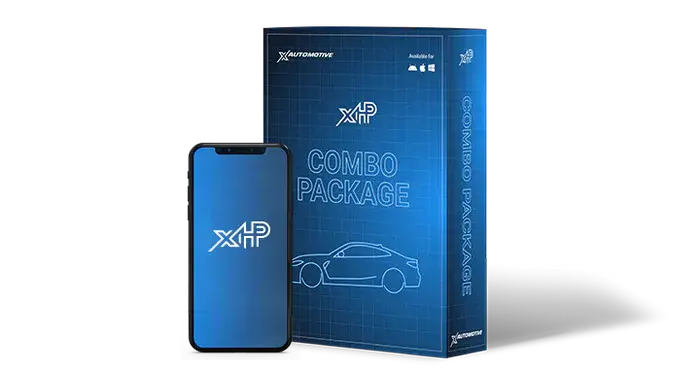
xHP TCU Flash Combo
Flash License + OTS Map Pack
Transmission
8-Speed (G-Series/Supra) iOS Android Windows
Hard Facts
Flash License
- Enables unlimited flashing for a single Vehicle/TCU (VIN-Lock) with ZF8HP Automatic Transmission
- Includes all Customization Options for your BMW/Supra TCU: Shiftpoint Editor, Launch Control, Torque Limiters, Throttle Blips and much more
- Enables flashing of our OTS Maps
- Enables flashing of custom TCU-Maps
Please note: M-Vehicles based on G-Series cars need a G-Series license, despite being designated as Fxx cars (e.g. F90, F97 etc.) OTS Maps Included
- Every Combo includes Stage 1, Stage 2 and Stage 3 OTS TCU-Maps
- Every OTS Map is a comprehensive remap to enhance your driving experience
- Super-fast shifts, improved acceleration times, stronger throttle blips, access to additional modes (e.g. Race Mode) and much more
- Features and changes vary per vehicle — use the xHP Flashtool app → Check Support → Search Database for details
xHP Flash Settings
Tailor your BMW or Toyota Supra to your needs! With a few clicks, you can further adjust our OTS Maps easily and even share your settings with friends. Our built-in editor makes changing your car’s behavior easy!
 Shiftmap Editor Available for 6-Speed, 7-Speed DCT and 8-Speed
  Use Stock Shiftmaps Available for 6-Speed, 7-Speed DCT and 8-Speed
  Torque Reduction Upshifts Available for 6-Speed, 7-Speed and 8-Speed
  Reassign Shift-Speeds Available for 6-Speed and 8-Speed
  Ignition Cut Shifting Available for 8-Speed
  Torque Punch Available for 6-Speed, 7-Speed DCT and 8-Speed
  Brake-Shifting Available for 8-Speed Shiftmap Editor
Our powerful shiftmap editor comes with 4 different presets to adjust shifting to your liking. Every preset can also be adjusted freely. You can adjust each upshift or downshift in D and S-mode by a huge range to fit your environment. When you’re done you can save your work in 3 custom slots and also export and share those settings easily!
Available for 6-Speed, 7-Speed DCT and 8-Speed Use Stock Shiftmaps
Enable this option if you want to use the stock shift points, instead of those from our OTS Maps.
Available for 6-Speed, 7-Speed DCT and 8-Speed Torque Reduction Upshifts
Fine tune your shifts to your engine tune! xHP lets you set up how much torque reduction the gearbox requests from the engine during upshifts. Lowering the amount of torque reduction can reduce turbo lag after shifts. Raising the torque reduction can produce faster/crisper and more audible shifts.
Available for 6-Speed, 7-Speed and 8-Speed Reassign Shift-Speeds
Change your shift speeds for various modes easily! xHP Flashtool offers the ability to completely remap your shift programs. You can adjust the shift-speed for each shift, or reassign a shift program entirely — e.g. map super-fast shifts to Comfort-mode or combine medium-speed shifts with the Sport+ setting in your vehicle.
Available for 6-Speed and 8-Speed Ignition Cut Shifting
8-Speed transmissions can cut off operation on one or more cylinders during shifting. This leads to a very distinctive exhaust note during shifts (braaap). With this setting, you can configure the RPM and torque thresholds for each shift mode at which the transmission requests cylinders to be cut off during shifts.
Available for 8-Speed Torque Punch
Configure the firmness of your shifts. You can configure the amount of torque that is added on each shift to smooth out your shifts, or make them even more punchy!
Available for 6-Speed, 7-Speed DCT and 8-Speed Brake-Shifting
Brake-shifting is crucial for selecting the correct gear for a corner. Based on the aggressiveness with which the brakes are applied, the transmission calculates the optimal downshift points to support engine braking and pre-selects the optimal gear for the upcoming corner. This pre-selection is based on the current driving mode (Comfort, Sport, etc.), brake pressure, and other real-time factors.
Available for 8-Speed  Valet Mode Available for 6-Speed, 7-Speed DCT and 8-Speed F-Series
  Max. RPM Available for 6-Speed, 7-Speed DCT and 8-Speed
  Torque Limits per Gear Available for 6-Speed and 8-Speed
  True Manual Available for 7-Speed DCT and 8-Speed
  Limit Gears Available for 8-Speed
  Disable Temperature Monitoring Racing use only Valet Mode
Valet/Kids Mode limits your car’s performance, restricting max. revs to 2,500–3,000 RPM (depending on vehicle), locks the transmission in its slowest operating mode and disables launch control/brake booster. Safely lend your high-performance vehicle to your children or ensure the garage mechanic does not show off your car to his mates. Valet Mode can be applied to any map and works safely in all driving environments.
Available for 6-Speed, 7-Speed DCT and 8-Speed F-Series Max. RPM
With this option, you can adjust the RPM target when going full throttle. You can set different RPM values for D-Mode, S-Mode and M-Mode for each gear.
Available for 6-Speed, 7-Speed DCT and 8-Speed Torque Limits per Gear
This panel allows you to set the electronic torque limiter for each gear. Limiting torque in the lower gears, especially on high-performance RWD cars, can improve traction and make them easier to drive. Different gears have different torque capacities (e.g. 6th gear in an 8-speed), so limiting torque per gear can help prevent clutch slippage on tuned cars.
Available for 6-Speed and 8-Speed True Manual
True Manual means that when you’re in manual mode, the car won’t upshift when the engine reaches the redline. Instead, it will run into the RPM limiter — just like a car with a manual transmission. The RPM limiter will still protect the engine from over-revving. xHP allows you to activate/deactivate True Manual for specific modes or switch it on/off generally.
Available for 7-Speed DCT and 8-Speed Limit Gears
Limit Gears lets you restrict the transmission to a specific gear range by setting minimum and/or maximum gear limits. When active, the gearbox will not select any gear below or above these thresholds, overriding all internal and external requests. This function ignores automatic overrides like emergency upshifts, overheating behaviour, incline detection, or DME torque-based gear changes. It is designed for motorsport and testing applications, such as keeping the car in 5th gear on a dyno to avoid unwanted upshifts, or locking higher gears for drag racing consistency.
Available for 8-Speed (motorsport/testing applications) Disable Temperature Monitoring
With this setting you can disable the temperature monitoring model of the transmission, the TCU and the torque converter. Power will not be reduced in case of overheating, e.g. during brake-boosting.
⚠ Not recommended for road cars. Only use this function for racing purposes. Serious risk to drivetrain components in case of misuse!
 Drag Race Mode Available for 6-Speed and 8-Speed
  Custom Launch Control Available for 6-Speed, 7-Speed and 8-Speed
  Take Off in 2nd Gear Available for 6-Speed, 7-Speed DCT and 8-Speed
  Kickdown Launch Available for 7-Speed DCT
  Stay in 2nd Gear at Standstill (M-Mode) Available for 6-Speed (M-mode only)
  Activate Line Pressure Bump Available for 6-Speed and 8-Speed Drag Race Mode
Drag Race Mode is designed to get the most out of your transmission and improve your 0–60 and 60–120 times! Torque reduction during shifts is completely disabled, shift pressures are maxed out and clutch protection thresholds are raised so you can put the full power of your engine to the ground no matter what happens.
Drag Race Mode is automatically engaged during Launch Control and in Sport+/DSC OFF (8-speed) or Manual (6-speed) mode when above approximately 40% throttle. Normal daily driving in Comfort mode is unaffected.
Available for 6-Speed and 8-Speed Custom Launch Control
xHP lets you adjust parameters like launch-RPM, wheel-slip, brake-boost torque and much more to help you improve your performance off the line! Your BMW’s launch control is configured for a stock vehicle, but on tuned vehicles this needs to be readjusted to get optimal performance. Easy-to-understand sliders make adjustments to your Launch Control a matter of seconds.
Available for 6-Speed, 7-Speed and 8-Speed Take Off in 2nd Gear
Save lots of shifts during city driving by applying this function. The transmission will always stay in 2nd gear at standstill, which creates a relaxed and very comfortable driving experience.
Available for 6-Speed, 7-Speed DCT and 8-Speed Kickdown Launch
You can freely configure the clutch engagement RPM and how fast the clutch kicks in on your DCT transmission! Whether you want to have an effective launch, or just let your rear tyres create long rubber-marks is up to you.
Available for 7-Speed DCT Stay in 2nd Gear at Standstill (M-Mode)
Choose whether the transmission shifts to 1st or 2nd Gear when stopped in M-Mode.
Available for 6-Speed (M-mode only) Activate Line Pressure Bump
For very high-power applications, we recommend activating the Line Pressure Bump. This will further increase the transmission line pressure by approx. 15% to increase the torque capacity of the transmission.
The Line Pressure is dependent on actual torque from the engine and this option is only active in high-torque situations, not during normal cruising. Only activate if needed, e.g. when getting Clutch-Slip in 6th Gear (8HP) or 4th Gear (6HP).
Available for 6-Speed and 8-Speed  Standstill Decoupling Available for 6-Speed and 8-Speed
  Fuel Saver Available for 8-Speed
  Coasting Mode Available for specific 8-Speed
  Stop-Go Available for 7-Speed DCT and 8-Speed
  Auto Start/Stop Available for 8-Speed
  Configure Creep Available for 7-Speed DCT
  Warm-Up Phase Available for 6-Speed
  Switch Off Sport-Mode in Cruise Available for 8-Speed Standstill Decoupling
This custom setting can be used to disable decoupling permanently. Decoupling at a standstill is a comfort and fuel economy feature of 6-Speed and 8-Speed transmissions that minimizes vibration at a standstill and reduces fuel consumption. However, it can cause problems on older transmissions (jerkiness) and/or may add some lag when taking off. Disabling gives a more direct response when taking off.
Available for 6-Speed and 8-Speed Fuel Saver
Save up to 0.5L/100km with our ECO-Mode! This function sets your transmission to ECO-Mode but without the sluggish throttle response usually associated with ECO-Pro mode. This makes saving fuel much easier and more comfortable than the factory ECO-Pro mode. The function is only active in D-Comfort; other driving modes (D-Sport, S-Sport, manual, etc.) are unaffected.
Available for 8-Speed Coasting Mode
Coasting allows the car to disengage from gear and idle or stop the engine as soon as the driver releases the accelerator. This function can be used to suppress coasting.
Available for specific 8-Speed Stop-Go
The Stop-Go function makes the transmission stay in 2nd Gear at a standstill when a traffic jam situation is recognized. You can choose to turn this function on or off!
Available for 7-Speed DCT and 8-Speed Auto Start/Stop
Most BMWs shut down their engines when coming to a full stop in Comfort Mode. You can use this function to suppress Start/Stop completely.
Available for 8-Speed Configure Creep
Choose if your vehicle starts moving as soon as you release the brake, or only when touching the throttle.
Available for 7-Speed DCT Warm-Up Phase
In 6-speed gearboxes, the lock-up clutch remains open during cold running to deliberately create slippage in the torque converter. This function allows the user to disable the warm-up phase and skip the torque converter slip for the first few minutes of driving. After a few seconds of driving, the lock-up clutch starts to work.
Available for 6-Speed Switch Off Sport-Mode in Cruise
Many BMW standard calibrations use higher shift points in cruise mode when the gear lever is in “S” or “Sport/Sport+”. For example, the transmission won’t engage 8th gear during cruise in Sport mode.
If this option is switched on, the transmission maintains the normal, lower shift points in cruise mode, even in sport modes.
Available for 8-Speed  Drivemode Setup Available for 8-Speed
  Kickdown Available for 6-Speed, 7-Speed DCT and 8-Speed
  Throttle Blips M-Mode Available for 6-Speed/Gen2 and 8-Speed
  Lockout 6th Gear in S-Mode Available for 6-Speed Drivemode Setup
This setting allows you to switch off certain drive modes. There are 7 possible settings: D/S/M (stock), only D/M, only D/S, only S/M, only D, only S, or only M. Depending on the configuration, certain modes are omitted and the reaction to driver inputs on the Gear Lever and Paddles changes accordingly.
Examples:
• Setting “D/M”: This will directly shift to M when the gear lever is moved to the left (instead of going to S-Mode). Also a long pull on the + Paddle will switch the trans between D and M.
• “Only M”: This will delete D and S modes, so the trans will always be in M-Mode as soon as you leave P (Parking Position).
• “Only D”: The trans will always be in D mode. Manual operation is no longer possible.
Available for 8-Speed Kickdown
With this setting, you can disable the Kickdown switch. The extra downshift initiated through Kickdown will be suppressed.
Available for 6-Speed, 7-Speed DCT and 8-Speed Throttle Blips M-Mode
Easily adjust the aggressiveness of your downshift blips! You can change the intensity of your blips by ±50%. Higher values result in more audible and faster blips but can be uncomfortable. Lower values will result in slower but smoother rev-matching.
Available for 6-Speed/Gen2 and 8-Speed Lockout 6th Gear in S-Mode
This setting lets you lock out the 6th gear in S mode.
Available for 6-Speed  Gear Display Available for 6-Speed and 8-Speed
  Rear Axle Ratio Available for 7-Speed DCT Gear Display
You can toggle the Gear-Display in D-Mode.
Available for 6-Speed and 8-Speed Rear Axle Ratio
xHP lets you adjust the transmission to changed rear-axles. With adjusting the transmission to a new rear-axle ratio, fault codes and/or limp-mode will be triggered.
Available for 7-Speed DCT
OTS Map Features
Millions of miles and well over 100,000 happy customers are the best proof of the reliability of our setups. Whichever stage you choose, we guarantee hassle-free use and unaffected longevity! Below is an overview of the changes done by our OTS Maps. For a more detailed description, please download our xHP Flashtool App and navigate to Check Support and Search Database.
Stage 1
Removes the transmission’s internal torque limiters, which opens up the way for properly done engine tunes.
Engine tunes no longer need to fake torque calculations, which greatly improves overall driveability and longevity!
Also, you get a neat Gear Display in your dash D1..D8.
Stage 2
Built on Stage 1 files, but already a complete remap of your transmission!
Faster shifts, stronger blips in Sport modes, more responsive reactions to throttle inputs! Often it’s the small things that annoy and we strive to remove them all for you.
Stage 2 files already create a more fun and sportive driving experience.
Stage 3
Built on Stage 2 files but take everything a bit further.
Even shorter shift times in Sport modes, lightning-fast reaction times, race-style auto-shifting in Sport+, even stronger blips, reconfigured Launch Control parameters, and much more!
Our Stage 3 files are the way to go for enthusiasts and racers.
<!– ============================================================ FAQ — uses native
/
: no JS needed, works in all browsers, Shopify-safe. ============================================================ –>
Most Frequently Asked Questions
How do I check if my car is supported?
Please use the Product Finder on the xAutomotive website to check if a certain product is available for your car.
What is included in the xHP Flash Combo?
The xHP Flash Combo includes the xHP Flash License for a single vehicle with ZF8HP automatic transmission and an xHP Map Pack, which includes OTS Maps for Stage 1, Stage 2, and Stage 3.
What do I need to apply xHP to my car?
You need the xHP Flash Combo license, the xA Ultra Adapter (or other supported adapter — please see the xHP WIKI), and the xHP Flashtool app for iOS, Android or Windows.
What are OTS maps?
OTS stands for “Off the Shelf.” The xHP TCU Flash Combo contains 3 OTS maps specifically developed for your model. You can access the details of specific maps within xHP Flashtool in the “Check Support” tab. The Stage 0 map is a backup, so you can restore your vehicle to stock at any time.
What is the xHP Flash Combo?
The xHP Flash Combo allows free and unlimited flashing for a single vehicle (VIN-Lock) with ZF8HP automatic transmission. It includes all Flash Settings for your BMW/Toyota Supra: Shiftpoint Editor, customized Launch Control, Torque Limiters, Throttle Blips, and much more. It also includes OTS Maps for Stage 1, Stage 2, and Stage 3, and allows you to flash tunes created through the Custom Map Service.
(function() { ‘use strict’; function initKiesXHP() { var root = document.getElementById(‘kies-xhp-root’); if (!root || root.dataset.kiesInit === ‘1’) return; root.dataset.kiesInit = ‘1’; // ── Main Tab Switching ──────────────────────────────────── root.querySelectorAll(‘.main-tab-btn’).forEach(function(btn) { btn.addEventListener(‘click’, function() { root.querySelectorAll(‘.main-tab-btn’).forEach(function(b) { b.classList.remove(‘active’); b.setAttribute(‘aria-selected’, ‘false’); }); root.querySelectorAll(‘.main-tab-panel’).forEach(function(p) { p.classList.remove(‘active’); }); btn.classList.add(‘active’); btn.setAttribute(‘aria-selected’, ‘true’); var target = root.querySelector(‘#’ + btn.getAttribute(‘data-target’)); if (target) target.classList.add(‘active’); root.querySelectorAll(‘.sub-detail-panel.active’).forEach(function(p) { p.classList.remove(‘active’); }); root.querySelectorAll(‘.sub-item-card.active’).forEach(function(c) { c.classList.remove(‘active’); }); }); }); // ── Sub-item Card Click ─────────────────────────────────── root.querySelectorAll(‘.sub-item-card’).forEach(function(card) { card.addEventListener(‘click’, function() { var detailId = card.getAttribute(‘data-detail’); var panel = root.querySelector(‘#’ + detailId); var parent = card.closest(‘.main-tab-panel’); var alreadyOpen = card.classList.contains(‘active’); if (parent) { parent.querySelectorAll(‘.sub-detail-panel’).forEach(function(p) { p.classList.remove(‘active’); }); parent.querySelectorAll(‘.sub-item-card’).forEach(function(c) { c.classList.remove(‘active’); }); } if (!alreadyOpen && panel) { panel.classList.add(‘active’); card.classList.add(‘active’); setTimeout(function() { panel.scrollIntoView({ behavior: ‘smooth’, block: ‘nearest’ }); }, 50); } }); }); // ── FAQ Accordion ───────────────────────────────────────── root.querySelectorAll(‘.faq-question’).forEach(function(btn) { btn.addEventListener(‘click’, function() { var answer = btn.nextElementSibling; var isOpen = answer.classList.contains(‘open’); root.querySelectorAll(‘.faq-answer.open’).forEach(function(a) { a.classList.remove(‘open’); }); root.querySelectorAll(‘.faq-question.open’).forEach(function(b) { b.classList.remove(‘open’); b.setAttribute(‘aria-expanded’, ‘false’); }); if (!isOpen) { answer.classList.add(‘open’); btn.classList.add(‘open’); btn.setAttribute(‘aria-expanded’, ‘true’); } }); }); } // Run on DOMContentLoaded (covers normal page load) if (document.readyState === ‘loading’) { document.addEventListener(‘DOMContentLoaded’, initKiesXHP); } else { initKiesXHP(); } // Also run on Shopify section:load events (covers theme editor reloads) document.addEventListener(‘shopify:section:load’, function(e) { var root = e.target ? e.target.querySelector(‘#kies-xhp-root’) : null; if (root) { root.dataset.kiesInit = ‘0’; initKiesXHP(); } }); })();
Explore more from our collection.
Shiftmap Editor Available for 6-Speed, 7-Speed DCT and 8-Speed Use Stock Shiftmaps Available for 6-Speed, 7-Speed DCT and 8-Speed Torque Reduction Upshifts Available for 6-Speed, 7-Speed and 8-Speed Reassign Shift-Speeds Available for 6-Speed and 8-Speed Ignition Cut Shifting Available for 8-Speed Torque Punch Available for 6-Speed, 7-Speed DCT and 8-Speed Brake-Shifting Available for 8-Speed Shiftmap Editor Valet Mode Available for 6-Speed, 7-Speed DCT and 8-Speed F-Series Max. RPM Available for 6-Speed, 7-Speed DCT and 8-Speed Torque Limits per Gear Available for 6-Speed and 8-Speed True Manual Available for 7-Speed DCT and 8-Speed Limit Gears Available for 8-Speed Disable Temperature Monitoring Racing use only Valet Mode Drag Race Mode Available for 6-Speed and 8-Speed Custom Launch Control Available for 6-Speed, 7-Speed and 8-Speed Take Off in 2nd Gear Available for 6-Speed, 7-Speed DCT and 8-Speed Kickdown Launch Available for 7-Speed DCT Stay in 2nd Gear at Standstill (M-Mode) Available for 6-Speed (M-mode only) Activate Line Pressure Bump Available for 6-Speed and 8-Speed Drag Race Mode Standstill Decoupling Available for 6-Speed and 8-Speed Fuel Saver Available for 8-Speed Coasting Mode Available for specific 8-Speed Stop-Go Available for 7-Speed DCT and 8-Speed Auto Start/Stop Available for 8-Speed Configure Creep Available for 7-Speed DCT Warm-Up Phase Available for 6-Speed Switch Off Sport-Mode in Cruise Available for 8-Speed Standstill Decoupling Drivemode Setup Available for 8-Speed Kickdown Available for 6-Speed, 7-Speed DCT and 8-Speed Throttle Blips M-Mode Available for 6-Speed/Gen2 and 8-Speed Lockout 6th Gear in S-Mode Available for 6-Speed Drivemode Setup • Setting “D/M”: This will directly shift to M when the gear lever is moved to the left (instead of going to S-Mode). Also a long pull on the + Paddle will switch the trans between D and M.
• “Only M”: This will delete D and S modes, so the trans will always be in M-Mode as soon as you leave P (Parking Position).
• “Only D”: The trans will always be in D mode. Manual operation is no longer possible.
Gear Display Available for 6-Speed and 8-Speed Rear Axle Ratio Available for 7-Speed DCT Gear Display : no JS needed, works in all browsers, Shopify-safe. ============================================================ –>
Most Frequently Asked Questions
How do I check if my car is supported?
Please use the Product Finder on the xAutomotive website to check if a certain product is available for your car.
What is included in the xHP Flash Combo?
The xHP Flash Combo includes the xHP Flash License for a single vehicle with ZF8HP automatic transmission and an xHP Map Pack, which includes OTS Maps for Stage 1, Stage 2, and Stage 3.
What do I need to apply xHP to my car?
You need the xHP Flash Combo license, the xA Ultra Adapter (or other supported adapter — please see the xHP WIKI), and the xHP Flashtool app for iOS, Android or Windows.
What are OTS maps?
OTS stands for “Off the Shelf.” The xHP TCU Flash Combo contains 3 OTS maps specifically developed for your model. You can access the details of specific maps within xHP Flashtool in the “Check Support” tab. The Stage 0 map is a backup, so you can restore your vehicle to stock at any time.
What is the xHP Flash Combo?
The xHP Flash Combo allows free and unlimited flashing for a single vehicle (VIN-Lock) with ZF8HP automatic transmission. It includes all Flash Settings for your BMW/Toyota Supra: Shiftpoint Editor, customized Launch Control, Torque Limiters, Throttle Blips, and much more. It also includes OTS Maps for Stage 1, Stage 2, and Stage 3, and allows you to flash tunes created through the Custom Map Service.
(function() { ‘use strict’; function initKiesXHP() { var root = document.getElementById(‘kies-xhp-root’); if (!root || root.dataset.kiesInit === ‘1’) return; root.dataset.kiesInit = ‘1’; // ── Main Tab Switching ──────────────────────────────────── root.querySelectorAll(‘.main-tab-btn’).forEach(function(btn) { btn.addEventListener(‘click’, function() { root.querySelectorAll(‘.main-tab-btn’).forEach(function(b) { b.classList.remove(‘active’); b.setAttribute(‘aria-selected’, ‘false’); }); root.querySelectorAll(‘.main-tab-panel’).forEach(function(p) { p.classList.remove(‘active’); }); btn.classList.add(‘active’); btn.setAttribute(‘aria-selected’, ‘true’); var target = root.querySelector(‘#’ + btn.getAttribute(‘data-target’)); if (target) target.classList.add(‘active’); root.querySelectorAll(‘.sub-detail-panel.active’).forEach(function(p) { p.classList.remove(‘active’); }); root.querySelectorAll(‘.sub-item-card.active’).forEach(function(c) { c.classList.remove(‘active’); }); }); }); // ── Sub-item Card Click ─────────────────────────────────── root.querySelectorAll(‘.sub-item-card’).forEach(function(card) { card.addEventListener(‘click’, function() { var detailId = card.getAttribute(‘data-detail’); var panel = root.querySelector(‘#’ + detailId); var parent = card.closest(‘.main-tab-panel’); var alreadyOpen = card.classList.contains(‘active’); if (parent) { parent.querySelectorAll(‘.sub-detail-panel’).forEach(function(p) { p.classList.remove(‘active’); }); parent.querySelectorAll(‘.sub-item-card’).forEach(function(c) { c.classList.remove(‘active’); }); } if (!alreadyOpen && panel) { panel.classList.add(‘active’); card.classList.add(‘active’); setTimeout(function() { panel.scrollIntoView({ behavior: ‘smooth’, block: ‘nearest’ }); }, 50); } }); }); // ── FAQ Accordion ───────────────────────────────────────── root.querySelectorAll(‘.faq-question’).forEach(function(btn) { btn.addEventListener(‘click’, function() { var answer = btn.nextElementSibling; var isOpen = answer.classList.contains(‘open’); root.querySelectorAll(‘.faq-answer.open’).forEach(function(a) { a.classList.remove(‘open’); }); root.querySelectorAll(‘.faq-question.open’).forEach(function(b) { b.classList.remove(‘open’); b.setAttribute(‘aria-expanded’, ‘false’); }); if (!isOpen) { answer.classList.add(‘open’); btn.classList.add(‘open’); btn.setAttribute(‘aria-expanded’, ‘true’); } }); }); } // Run on DOMContentLoaded (covers normal page load) if (document.readyState === ‘loading’) { document.addEventListener(‘DOMContentLoaded’, initKiesXHP); } else { initKiesXHP(); } // Also run on Shopify section:load events (covers theme editor reloads) document.addEventListener(‘shopify:section:load’, function(e) { var root = e.target ? e.target.querySelector(‘#kies-xhp-root’) : null; if (root) { root.dataset.kiesInit = ‘0’; initKiesXHP(); } }); })();
Explore more from our collection.
How do I check if my car is supported?
Please use the Product Finder on the xAutomotive website to check if a certain product is available for your car.
What is included in the xHP Flash Combo?
The xHP Flash Combo includes the xHP Flash License for a single vehicle with ZF8HP automatic transmission and an xHP Map Pack, which includes OTS Maps for Stage 1, Stage 2, and Stage 3.
What do I need to apply xHP to my car?
You need the xHP Flash Combo license, the xA Ultra Adapter (or other supported adapter — please see the xHP WIKI), and the xHP Flashtool app for iOS, Android or Windows.
What are OTS maps?
OTS stands for “Off the Shelf.” The xHP TCU Flash Combo contains 3 OTS maps specifically developed for your model. You can access the details of specific maps within xHP Flashtool in the “Check Support” tab. The Stage 0 map is a backup, so you can restore your vehicle to stock at any time.
What is the xHP Flash Combo?
The xHP Flash Combo allows free and unlimited flashing for a single vehicle (VIN-Lock) with ZF8HP automatic transmission. It includes all Flash Settings for your BMW/Toyota Supra: Shiftpoint Editor, customized Launch Control, Torque Limiters, Throttle Blips, and much more. It also includes OTS Maps for Stage 1, Stage 2, and Stage 3, and allows you to flash tunes created through the Custom Map Service.
Reviews
There are no reviews yet.